How to use
Your invitation, live in 5 simple steps
Works the same on your laptop or your phone - build it wherever you are. Free to build and preview, pay only when you publish.
- 1
Pick your template
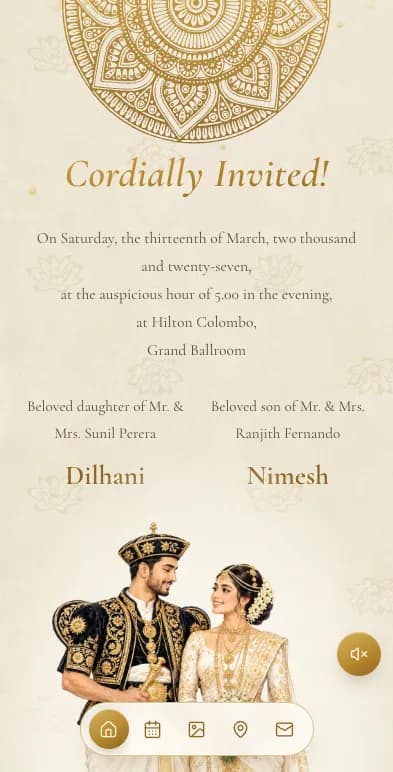
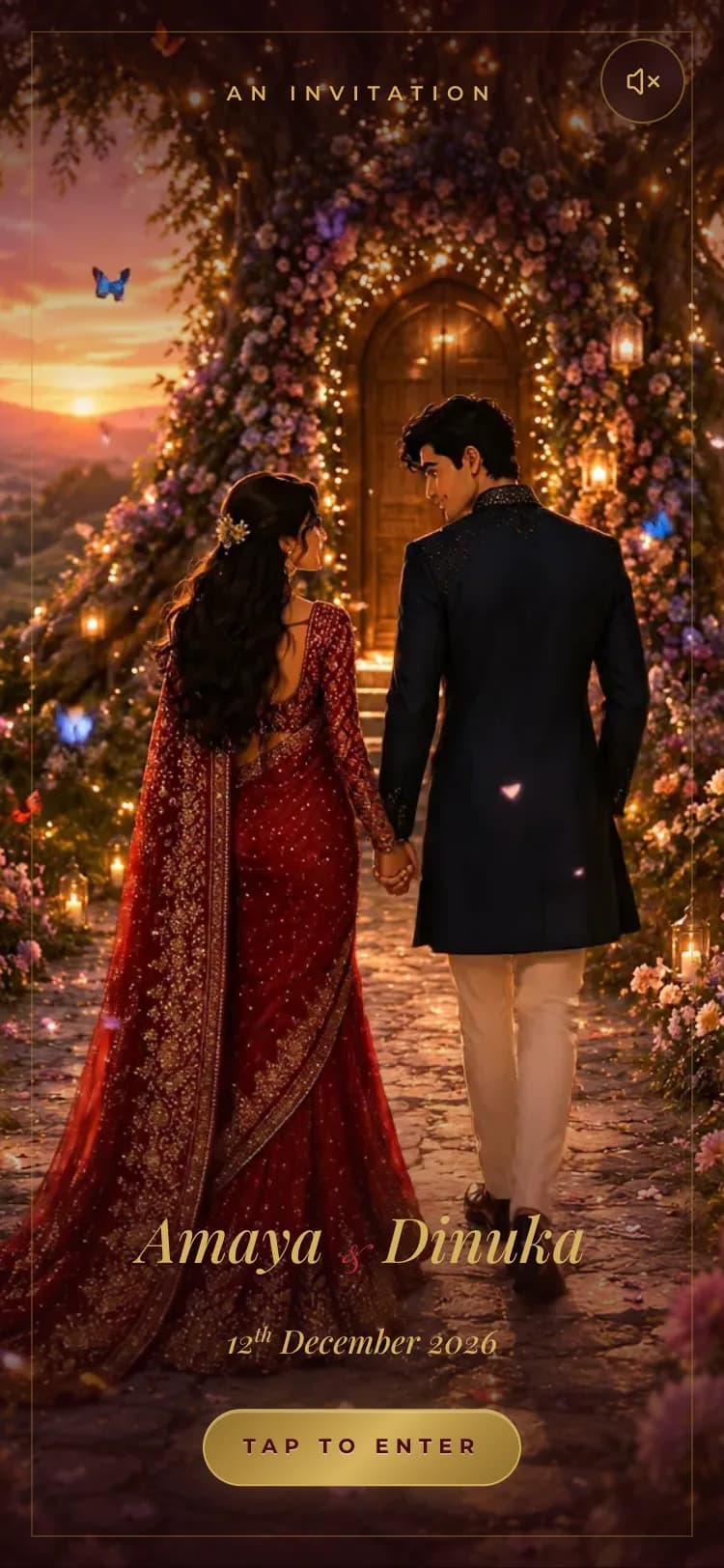
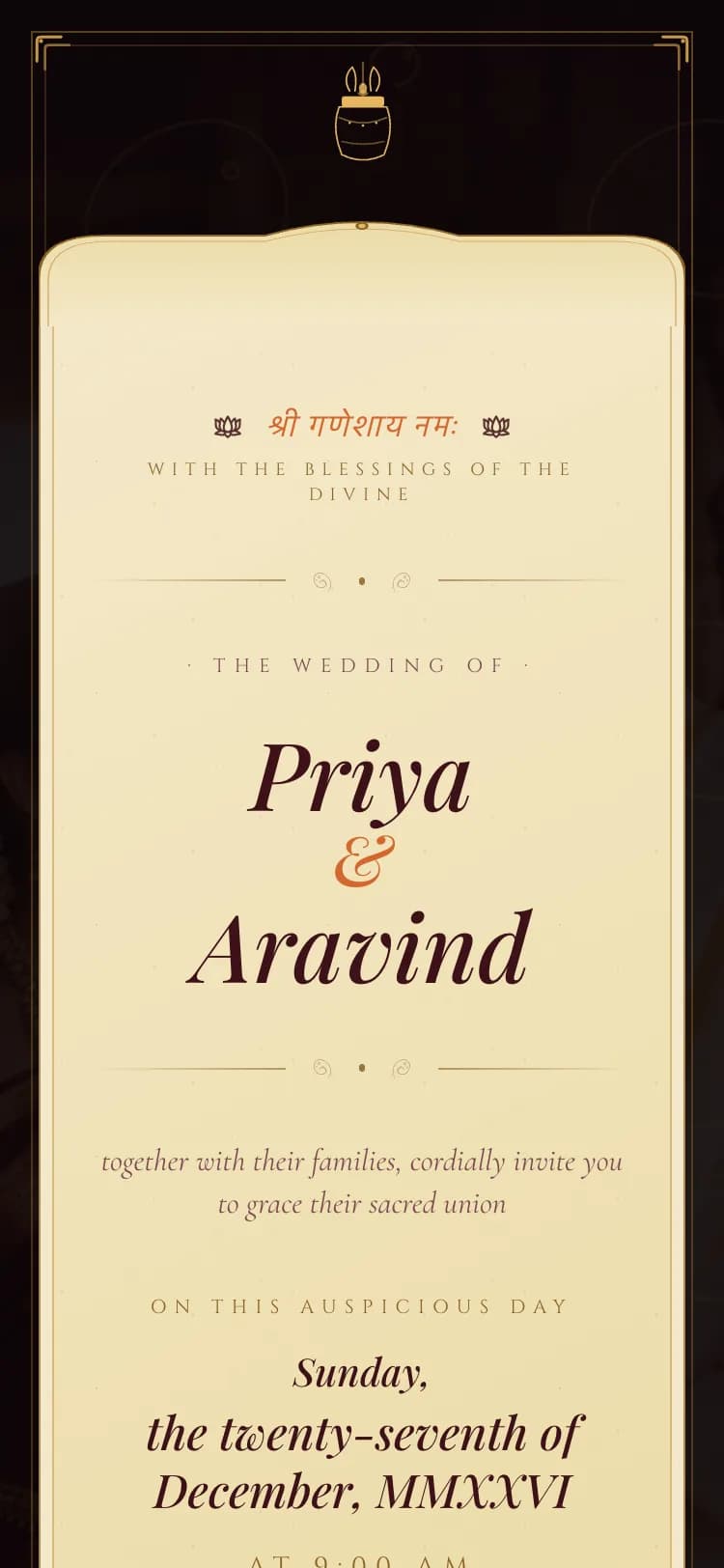
Browse Sinhala, Tamil, and English designs made for Sri Lankan weddings - traditional, modern, cultural, and beach styles. Every card is a real working preview, not a picture.
- 20+ designs with live phone previews
- Free to browse and try before you pay
invitation.lk/templates

- 2
Add your details
Names, dates, venues, your love story, photos. Switch sections on or off, drag them into order, and watch the live phone preview update as you type - autosave keeps every change.
- Live mobile preview while you edit
- Show, hide, and reorder any section
invitation.lk/dashboard/editor

- 3
Build your guest list
Type guests in one by one, or bulk upload your whole list from Excel with the ready-made template. Set head counts, groups, and which events each guest is invited to.
- Excel / CSV bulk import
- Per-event invites: Poruwa, Reception, Homecoming
invitation.lk/dashboard/guests

- 4
Share on WhatsApp
Every guest gets a personal link that opens the invitation with their own name on it. Send it over WhatsApp in one tap - then see who has received and opened theirs.
- One-tap WhatsApp send per guest
- Delivery and open tracking
invitation.lk/dashboard/guests/links

What your guest sees
- 5
Track RSVPs live
Accepted, declined, head counts, and messages from guests - all live on your dashboard, per event. Send reminders, then arrange tables once the numbers settle.
- Live totals and response rate
- Table arrangement when you're ready
invitation.lk/dashboard/guests/rsvp

The full tour
Every section, explained
Those five steps are the journey. Here is everything waiting inside your dashboard when you want more.
Invitation
Everything about the invitation itself - from first draft to a fully custom design.
Overview
Your home base. The moment you sign in you see how close the invitation is to ready, and how your guests are responding - with a countdown to the big day in the corner.
- Getting-started checklist with progress, so you always know the next step
- Live cards for total guests, attending count, page views, and days to the wedding
- One-click jump back into editing or publishing
invitation.lk/dashboard
My Invitations
Every invitation in your account in one list - because a Sri Lankan wedding is rarely one event. Run the wedding, the homecoming, and more, each with its own design and guest list.
- Create extra invitations, each with its own template, date, and venue
- Publish or unpublish any time; draft and published states are clearly badged
- Copy the share link, or download a branded QR code as PNG or SVG
- Rename, edit, preview, or delete each invitation
invitation.lk/dashboard/invitations
Every invitation gets a branded QR - download as PNG for sharing or SVG for print. Printable QR Signs
The same dialog also designs print-ready signs around your QR - for the entrance, the seating chart easel, or every table. Pick a design, pick the wording, print.
- Four sign designs: Awaits, Minimal, Script, and Frame
- Wording presets for find-your-seat, invitation, RSVP, and guest photos
- Edit the heading, caption, names, and date to say anything you like
invitation.lk/dashboard/invitations
Edit Invitation
The editor you saw in step 2, in full. Choose the template, switch any section on or off, and drag sections into the order you want - the live phone preview follows every change.
- Sections for hero, countdown, love story, events, photo gallery, venue and map, and more
- Reorder with arrows, toggle visibility per section
- Undo, redo, and autosave - you can't lose work
invitation.lk/dashboard/editor
Custom Design
Want something nobody else has? Send our designers a brief and we build a one-of-a-kind invitation for you, delivered into your account ready to publish.
- Describe your vision in a brief; our team designs and builds it
- Track status and message the designers from the same page
- Publish it yourself from My Invitations whenever you're ready
invitation.lk/dashboard/custom-design
Guest management
The tools you saw in steps 3-5, plus seating and a shared photo gallery for the day itself.
Add Guests
Build the list your way: type guests in one by one, or download the Excel template, fill it with your whole list, and upload it back for review before saving.
- WhatsApp number with country code per guest
- Invite type (to you, your family, or both), head count, group, and side
- Tick which events each batch of guests is invited to
invitation.lk/dashboard/guests/add
Guest List & Links
Every guest with their personal invitation link, ready to send. Edit the WhatsApp message template once, then send personalized messages guest by guest.
- One-tap WhatsApp send, or copy any guest's link
- Delivery tracking: sent, and whether the invitation was opened
- Filter by event, RSVP, group, side, or delivery state - plus search
invitation.lk/dashboard/guests/links
Write the WhatsApp message in your own words - placeholders like {name}, {events}, and {links} fill in per guest automatically. RSVP Management
Responses, head counts, and personal messages from guests, kept separate per event - switch between the wedding and the homecoming with one click.
- Attending, declined, and pending cards with response rate
- Search by name, WhatsApp number, or message text
- Fix any guest's response yourself with the edit button
invitation.lk/dashboard/guests/rsvp
Table Arrangement
A visual seating designer. Lay out round tables, banquet tables, chair rows, and decor areas on a canvas, then drag guests from the unassigned list onto their seats. Prefer lists? A simple List view does the same job with taps.
- Live head-count: how many seated, how many seats left
- Publish when ready - each guest sees their own table on their invitation link, and edits apply instantly
- Export print-ready PDFs: A3 seating chart, A4 guest list, and foldable A4 name tags
invitation.lk/dashboard/guests/tables
List view: tap a table, tap a guest, seated. Same live data as the canvas. invitation.lk/dashboard/guests/tables
One Export button covers the hotel, the planner, and the place cards. Guest Gallery
On the day, guests upload their photos and wishes straight from the invitation. You stay in control: approve what shows on the invitation, keep the rest private.
- Pending, showing, and kept-private tabs for easy moderation
- Keep or delete each upload with one click
- Download everything in one go after the wedding
invitation.lk/dashboard/guests/gallery
Settings put you in charge: approve each photo, auto-publish, or keep all private - and schedule when uploads open and close (Sri Lanka time).
Wedding plan tools
Planning tools included with your invitation - one login for the whole wedding.
Task Checklist
Your wedding to-do list, organised by when things are due. Start from our ready-made checklist and shape it into your own.
- Progress bar plus due-this-week, in-progress, and completed counts
- Tasks grouped into this week, coming weeks, and later
- Categories, assignees, and due dates on every task
invitation.lk/dashboard/tools/tasks
Budget Management
Every rupee, planned and tracked. Set your total budget, start from the wedding-essentials list, and watch estimated versus actually-spent per category.
- Estimated, actual spent, deposits paid, and still-to-pay cards
- Category rows with progress bars - tap one to see its items
- Export your budget any time
invitation.lk/dashboard/tools/budget
Vendor List
The venue, the caterer, the photographer, the DJ - every supplier with their contact, cost, and how much you've paid so far.
- Total cost, paid, and still-owing across all vendors
- Status per vendor: contacted, quote received, or booked
- Payment progress bars per vendor, and export for your records
invitation.lk/dashboard/tools/vendors
Liquor Planner
A very Sri Lankan problem, solved: how many bottles for the reception? Set how many guests one bottle serves, split each party across drink types, and get quantities per event.
- Adjustable guests-per-bottle ratios for beer, wine, and spirits
- Sized from confirmed RSVPs, per event and in total
- Download the plan for whoever is stocking the bar
invitation.lk/dashboard/tools/liquor
Help & account
Real people when you need them, and shared access for the people planning with you.
Support
Stuck, or want something tweaked? Open a ticket and talk to us in a thread - or jump straight to priority WhatsApp support.
- Tickets with status and priority, all your messages in one place
- Custom design requests get their own support threads automatically
- Priority WhatsApp line for urgent, close-to-the-day questions
invitation.lk/dashboard/support
Members
Weddings are planned by more than one person. Invite your partner, a parent, or your planner to help - while you stay in control of billing and access.
- Invite up to 3 collaborators by email, with editor or viewer presets
- Fine-grained access per area: no access, view, or edit - for guests, RSVPs, tables, budget, and more
- Remove or change a collaborator's access any time
invitation.lk/dashboard/members
Start your invitation in 10 minutes
Free to build, free to preview. Pay only when you're ready to share.