
Features
One invitation. Every detail handled.
Personal links, RSVPs, seating and planning tools, built into the invitation you send on WhatsApp.
Replies, as they arrive. Every RSVP lands on your dashboard with head counts and messages.
Seat everyone, visually. Drag tables into place and seat each family. Guests find their own table.
Change anything, anytime. Edit a time or a venue after sending. Every guest sees it on the same link.

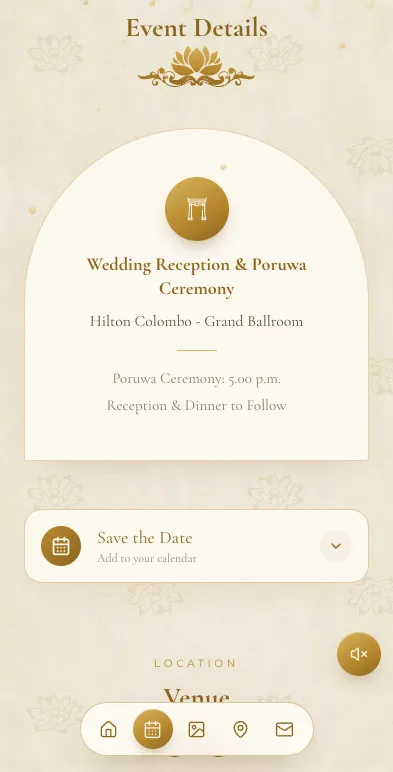
What guests see
Inside the invitation
Everything that opens when a guest taps their link.
A link of their own
Every guest gets a personal link, and most designs open with their own name on it.
Greeted on WhatsApp
The WhatsApp preview card greets each guest by name, before they even tap.
Every event, in order
Poruwa, church, reception, homecoming: each with its own time and venue.
Google Maps directions
One tap opens each venue in Google Maps, ready to navigate.
Add to calendar
Guests save the date to Google Calendar or their phone's calendar.
Live countdown
A live countdown to your wedding day, ticking on the invitation.
Your love story
Tell guests how it all began, in your own words.
Photo gallery
Share your pre-shoot and favourite photos with everyone you invite.
Background music
A song from our curated library plays while guests read your invitation.
Guest Gallery
Guests upload their photos and videos from the day into your invitation. Included with Signature Custom, or a Rs. 2,000 add-on.
Films and openings
Selected designs open with a short film, an envelope or a gate to tap.
Dress code and FAQ
Selected designs add a dress code, an FAQ and venue line art.
RSVP
Collecting replies
Know who is coming, without a single phone call.
One-tap RSVP
Guests reply Attending or Not attending, right on the invitation.
Head counts that add up
Guests confirm how many are coming, up to the number you invited.
A note with the reply
Guests can add a message for you, up to 500 characters.
Public RSVP link
One open link for everyone else: guests reply with their name and WhatsApp number.
You approve who joins
Public replies wait for you to approve or reject, and we email you when one arrives.
RSVP on WhatsApp
Prefer chat? Turn on WhatsApp RSVP and replies come to your WhatsApp instead.
RSVP management
Search and edit every reply, kept separately for each invitation.
Instant alerts
Install the dashboard as an app and get a push alert for every new RSVP.
Guest list
Sending the invitation
Build the list once, then send every guest their own link.
To you, you both, your family
Pick the invite type for each guest, so the wording fits who it is for.
Head count, category, side
Every row carries a head count, a category and the bride's or groom's side.
Import from Excel
Upload Excel or CSV with our template. On Google Sheets? Download it as .xlsx first.
Send on WhatsApp
Send each guest their personal link on WhatsApp, straight from your list.
Your own message
Write it once. {name}, {events}, {date} and more fill in for every guest.
Sent and opened
See who you have sent to and who has opened their invitation.
Download your list
Export the full guest list as a CSV file whenever you need it.
QR code and printable sign
Every invitation has a QR code, plus a ready-to-print sign for the entrance.
Planning tools
Planning the day
Seating, budget and the to-do list, right beside your guests.
Table arrangement
Drag round tables, long tables, rows and areas into place, then seat each guest.
Find your table
Publish the plan and guests search their name on the invitation to find their seat.
Seating chart to print
Print an A3 seating chart and an A4 guest list, ready as PDFs.
Name cards
Print foldable name cards for every seated guest, straight from the plan.
Task checklist
Start from a ready-made wedding list and give each task a due date.
Budget
Track estimated, actual and deposit amounts, and export it all to CSV.
Vendor list
Keep every supplier's details and contacts in one place.
Liquor planner
Work out the bottles you need from invited or confirmed guests.
Co-planners
Invite family to help, with view or edit access for each tool. On paid plans.
Your overview
Countdown, RSVP totals and page views with a 7-day trend, on one screen.
Email reminders
A seating reminder five days before, and a message on the wedding day.
Guest Gallery controls
Approve each upload, publish them automatically, or keep them private.
Editor
Your design
Make it yours in a live editor, and change it anytime.
46 designs
Traditional, modern, cultural and classic. Every one is on every plan.
Show, hide, reorder
Switch sections on or off and put them in the order you want.
Live phone preview
See every change on a phone as you make it, with undo and redo.
Fonts and colours
Change fonts and colours on the designs that allow it.
Venue search
Search for your venue by name to place it on the map.
Play before you pick
Listen to each song in the editor before you choose one.
Edit after sending
Change a time or a venue anytime. Guests see it on the same link.
More than one invitation
Separate invitations for different events, each published or unpublished on its own.
Plans
Buying with confidence
Free to build. Pay once, only when you publish.
Free to build and preview
Make the whole invitation, keep unlimited drafts and add up to 500 guest links before paying.
Pay once
One-time price from Rs. 5,000. No subscription.
Unlimited guests
Every paid plan includes unlimited guests and personal links.
Upgrade for the difference
Move up a plan anytime and pay only the difference.
Card or bank transfer
Pay by card through PayHere, or by bank transfer if you prefer.
Designed just for you
Signature Custom (Rs. 20,000): a custom design, Guest Gallery and priority WhatsApp support.
Guest Gallery add-on
Add Guest Gallery to Essential or Complete for a one-time Rs. 2,000.
Real people to help
Open a support ticket from your dashboard, or call +94 71 888 1 888.
Start your invitation tonight.
Send it when it's perfect.
Free to build, free to preview. You pay once, only when you publish.
